
Most people buy an office chair the way they buy a mattress in a showroom. You sit for ninety seconds, the padding feels soft, the price looks fair, you sign. The verdict arrives around month eight: an ache between the shoulder blades by 3pm, a numb patch behind one thigh, a wobbling armrest.
This is one of the few things you touch for eight hours a day. The chair has to fit you, not the average of everyone. Get that wrong and you pay in concentration long before you pay a physiotherapist.
Here’s how to choose an ergonomic office chair without drowning in feature lists, and what changes when the office is in Singapore.
Key Takeaways
- Fit beats specification. Size the chair to your body and your hours, not to the longest feature list.
- Four adjustments carry most of the benefit: seat height, seat depth, backrest tilt with tension, and armrest height.
- Meteorological Service Singapore data puts mean annual relative humidity at around 82%, which is why mesh backs dominate local offices.
- Steel and aluminium bases outlast thin plastic, and the gap shows within two years.
- WSH Council ergonomics guidance is to avoid sitting for long periods and to change posture, stand or walk around whenever you feel tired.
Step-by-Step: How to Choose the Best Office Chair for You
Define the use case before you compare products. Four questions settle most of the decision:
- Hours per day. Under three hours, height and tilt adjustment is enough. Past five, adjustable seat depth and real lumbar support stop being luxuries.
- The task. Someone on calls leans back and needs recline with tension control. A drafter perches forward and needs a seat that tilts forward. A guard-room officer in warm air needs breathability above all.
- The environment. Carpet, vinyl and concrete each want different casters. Dormitories and canteens take abuse a private office never sees, and warehouse mezzanines run warmer.
- Shared or assigned. A hot-desked chair gets readjusted several times a day by people of different heights, so adjustment range and easy levers matter far more.
Those answers also point to a category:
- Executive chairs feature tall backrests and plush padding.
- Task chairs are designed for short-term, minimal seating.
- Meeting room chairs need to be comfortable and compact.
Then set a budget per seat. When testing office chairs, sit for ten minutes, not one, and adjust everything before you judge anything.
Matching the Chair to Your Body Type and Work Style
Chairs are designed around an average most of us miss in one direction or another, and the problems are predictable once you know which end you sit at. Testing a chair before buying can help in finding the right fit for different body types.
| The usual problem | What to look for | |
|---|---|---|
| Under ~160 cm | Seat too high, so feet dangle and thighs press the front edge; also too deep, so you reach the backrest or keep feet flat, not both | Low minimum seat height, shorter or adjustable seat pan, low-sitting lumbar support, plus a footrest if the desk is fixed |
| Taller or heavier | Seat pan too short, backrest stops mid-back, gas lift out of travel | Longer seat pan, taller backrest, class 4 gas lift, reinforced base |
Build Quality, Frames, and Bases: What’s Under the Seat
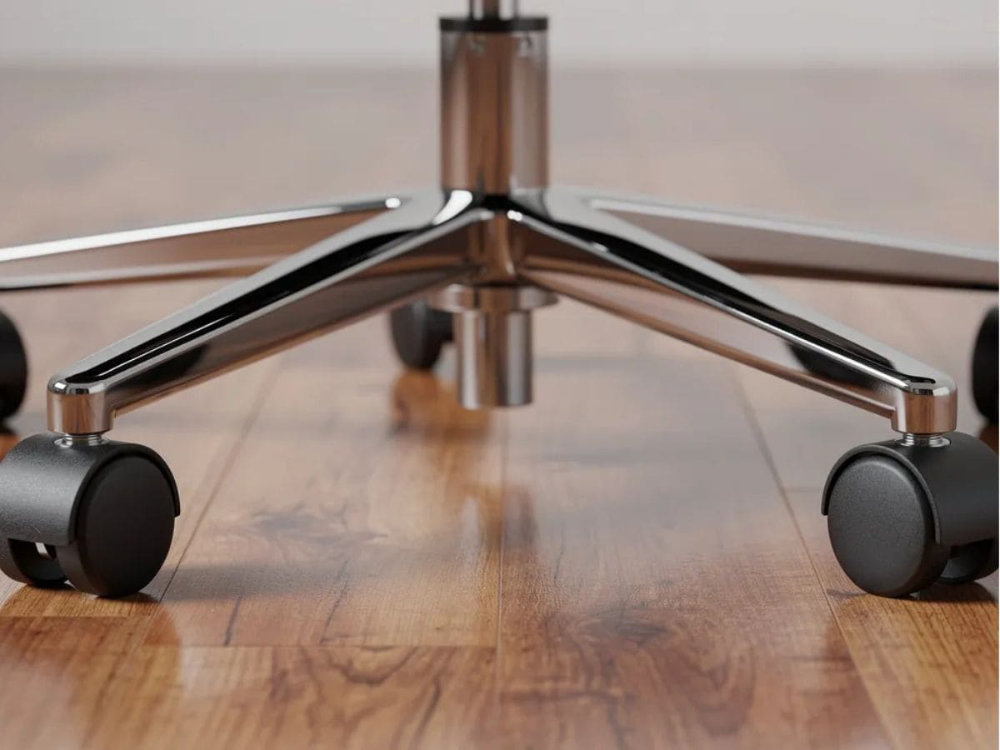
Flip a chair over in the showroom. Most of what decides whether it lasts three years or ten sits underneath the seat, and almost none of it appears in the product photo. A sturdy five-point star base provides stability and prevents tipping.
| What to look for | Failure sign | |
|---|---|---|
| Base | Stamped steel or die-cast aluminium; glass-filled nylon at the better end | Hairline crack near one arm, then a snap at 12 to 24 months |
| Mechanism | Steel housing with proper bushings | A click, then a sway, then a lean |
| Gas lift | Class rating and certification on request | Seat sinks through the afternoon |
| Casters | Soft polyurethane for vinyl, tile and concrete; hard nylon for carpet | Skidding or marking on hard floors |
Two showroom checks take seconds:
- Press down on the back of the seat and rock it. Any knocking in a new chair will be worse in a year.
- Look at the caster stems. A steel grip-ring stem sits tighter than moulded plastic.
Understanding Posture and Spinal Support
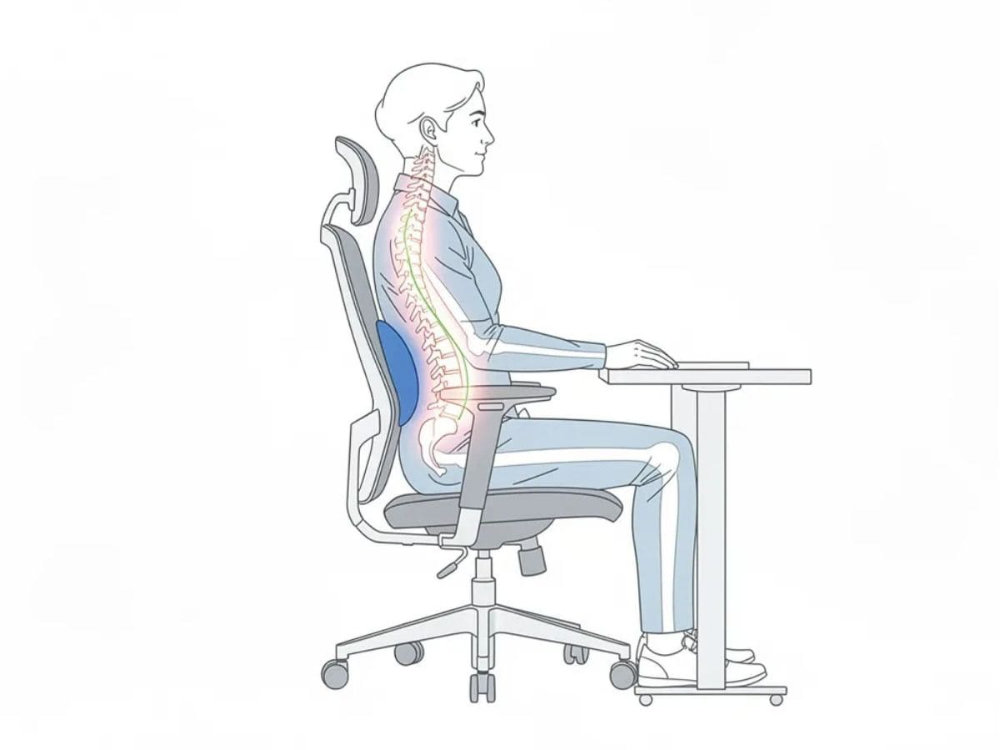
Your spine isn’t a straight line. It carries three natural curves, and a chair should support all three:
- Cervical at the neck
- Thoracic through the ribcage
- Lumbar in the lower back
A chair that flattens the lumbar curve makes those muscles hold you up all day, and that fatigue is what people mean by “this chair kills my back.”
Lumbar support is the piece most often done badly. Adjustable lumbar support should fit the natural curve of your lower back. Done well it feels broad and diffuse, never a hard bar pressing on one spot. If you notice it as a distinct pressure point after ten minutes, it’s too narrow or in the wrong place.
This is not only about comfort. Proper ergonomic alignment can improve blood circulation and reduce physical distraction.
Height adjustability matters more than buyers expect, because torso length varies more than overall height suggests. Fixed lumbar suits whoever the chair was designed around and compromises everyone else.
Buyers specifying at scale can quote against SS 514:2016, the Code of Practice for Office Ergonomics, which covers workstation design and equipment procurement.
Adjustable Features You Should Not Compromise On

Four adjustments carry most of the benefit. In order of impact:
- Seat height. Non-negotiable. It decides your knee angle, foot contact and desk relationship at once.
- Backrest tilt with adjustable tension. Tension matches the recline to your weight, so a 50 kg user isn’t fighting a spring set for someone twice their mass.
- Armrest height. The difference between relaxed shoulders and shoulders that creep toward your ears.
- Adjustable seat depth. The one most buyers skip and most regret skipping.
Headrests, 4D arms and forward tilt are worth having when budget allows, but four adjustments done properly beat ten that are slightly loose.
Why Adjustable Seat Depth Matters
Seat depth decides whether you can use the backrest at all. Sit fully back, hips touching the backrest, then check the gap between the seat’s front edge and the back of your knees. You want two to three finger widths.
- Too little and the edge presses into the soft tissue behind your knee, a common cause of numb legs late in the day.
- Too much and you can’t reach the backrest without sliding forward, so the lumbar support does nothing and you perch.
In shared spaces, a depth slider lets one chair fit a 155 cm staff member and a 185 cm colleague, which means fewer SKUs to maintain.
Seat Height, Tilt, and Recline: Getting the Basics Right
Set seat height first, because everything else depends on it. Lower the chair until your feet rest flat on the floor with your hips level with or slightly higher than your knees, and your forearms land roughly level with the desk. If the desk is fixed and too high, raise the chair and add a footrest rather than sitting low all day.
The WSH Council’s workplace ergonomics guidelines agree: hips as far back as they go, feet flat on the floor or a footrest, and a backrest that reclines slightly, which its office checklist sets at 100 to 120 degrees.
Backrest mechanisms come in three levels:
| How it moves | Best for | |
|---|---|---|
| Fixed-position | Locks at one angle | Meeting rooms, short sessions |
| Simple tilt | Seat and back pivot together, lifting your feet | Light daily use |
| Synchronous tilt | Back and seat recline at different rates, so feet stay planted | Full working days |
Set the tension so you can recline with light pressure. If you have to shove, it’s too tight and you’ll stay locked upright.
Armrests, Headrests, and Other Adjustable Details
| Adjusts | Best for | |
|---|---|---|
| Fixed | Nothing | Visitor and occasional seating |
| 1D | Height | The minimum for daily desk work |
| 2D | Height and depth | Longer or shorter forearms |
| 3D | Height, depth and width | Narrower and broader frames |
| 4D | Adds pad pivot | Drafting, dual-monitor work |
For most offices, 2D or 3D is the sensible stopping point.
Setting them is where people go wrong. Let your shoulders drop, then raise the armrests until your elbows just make contact. Light contact, because if your shoulders lift even slightly the armrests are too high, and you’ll feel it in your neck by mid-afternoon.
One check before buying: pull the chair up to a desk. If the armrests hit the desk edge, you’ll spend every day reaching forward with unsupported arms.
Headrests help if you recline for calls or reading. They do nothing if you sit forward at a keyboard, and a badly positioned one pushes your head into the posture you’re trying to avoid.
Seat Cushioning and Materials: Mesh vs. Fabric vs. Leather
Seat comfort combines foam density, shape and covering. Softness alone tells you little, since a very soft seat feels excellent for five minutes and then bottoms out. Judge a seat at the ten-minute mark, not on first impression, and look for a waterfall front edge rather than a square lip.
| Strengths | Trade-offs | |
|---|---|---|
| Mesh | Suspends your weight instead of compressing; air moves through | Cheap mesh sags into a hammock within months |
| Fabric-padded | Most forgiving across body types; support without clamminess | Absorbs spills and dust, so harder to sanitise |
| PU or leather | Wipes clean fast; suits canteens and clinics | Runs warm; cheaper PU cracks and peels at the edges |
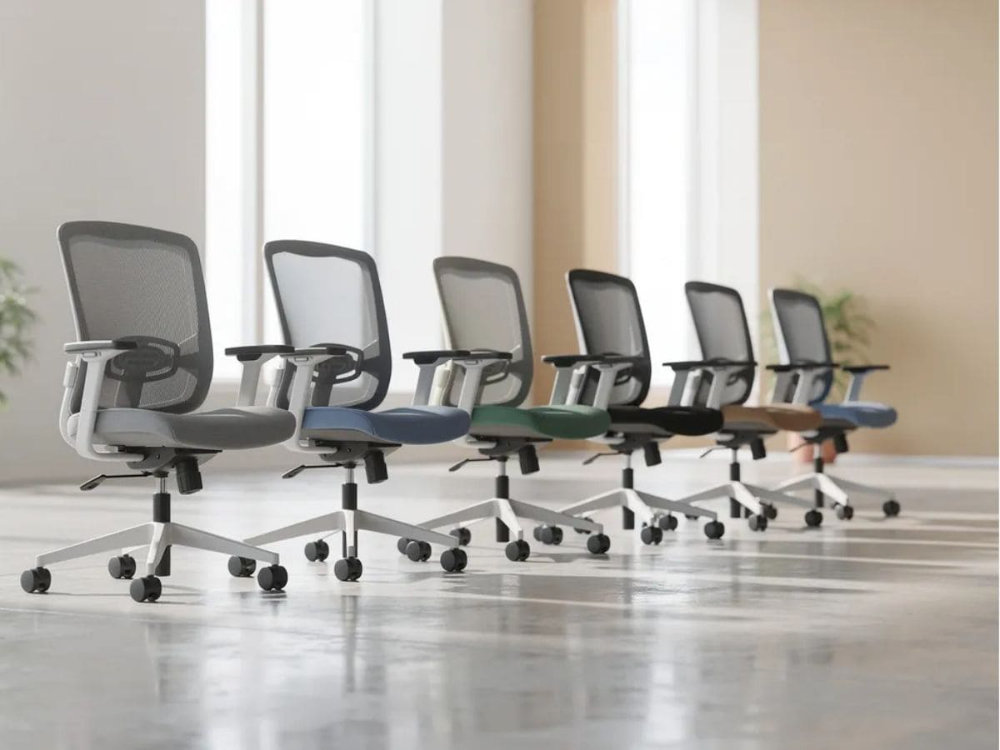
A common local compromise works well: a mesh back for airflow with a fabric-padded seat for cushioning, which lets most people sit comfortably through a full day.
Breathability and Thermal Comfort in Singapore’s Climate
The Meteorological Service Singapore puts mean annual relative humidity at around 82%, climbing above 90% just before sunrise and falling to roughly 60% on dry afternoons, with daily temperatures running from 23 to 25°C overnight up to 31 to 33°C in the day. Air-conditioned offices manage that. Not everywhere is air-conditioned equally, and not all day.
That’s why mesh backs became the default here rather than a premium option. Mesh moves air across your shirt instead of trapping it against a foam pad, which over a long shift means less sweat on the backrest and fewer complaints about heat rash.
Where air-conditioning is inconsistent, in warehouse offices, guard rooms and dormitories, stack a few measures:
- Breathable woven fabric on the seat, not PU or vinyl.
- Moisture-wicking or open-cell cushions for anyone on long shifts in warm air.
- A desk or clip fan moving air across the back and neck.
For facilities managers it’s a maintenance question too, since damp chairs develop odour and mould faster in enclosed rooms.
Asia Furniture Company (AFC): How We Help You Build Better Workspaces
It shapes how we build and advise: steel where durability matters, components matched to the environment, and specification support for buyers equipping a floor, camp block or dormitory fit-out.
Frequently Asked Questions
How long should a good office chair last?
Seven to ten years for a well-built ergonomic chair in single-user office conditions, and two to four for a budget one. The variables are the base, the tilt mechanism and the gas lift, not the upholstery. In shift-use settings such as dormitories, expect the lower end, because the chair sees two or three times the hours. The most reliable signal at purchase is a warranty listing frame, base, mechanism and gas lift separately.
Do I really need an ergonomic chair if I use a standing desk?
Yes, because almost nobody stands all day. Most sit-stand users alternate, and the sitting portion still adds up to several hours. A standing desk changes how often you move; it doesn’t change what your spine needs while seated. If anything, sit-stand users benefit more from quick adjustments, since a chair that’s awkward to raise discourages switching.
Can I make a basic desk chair more ergonomic without replacing it?
Up to a point, because accessories fix fit, not failure. A firm lumbar cushion restores lower back support and shortens an over-deep seat, a footrest fixes a chair that sits too high under a fixed desk, and a seat cushion improves flattened foam and lifts a shorter user. What you can’t retrofit is a broken mechanism, a sinking gas lift, a cracked base or armrests at the wrong height. If the mechanism is failing, put the money toward a replacement.
What’s the best way to equip a whole office or dormitory with chairs?
Standardise on as few models as the roles require, usually one adjustable chair for desk-based staff and one durable fixed chair for meeting, canteen and visitor use. Choose the one with the widest fit range you can afford, especially adjustable seat depth and lumbar height. Put samples on the real floor for a week before committing, ask suppliers to quote against a standard rather than a price point, and confirm spare parts and lead times.
